

How Retool uses Loop to turn logs into AI roadmap decisions
With Allen Kleiner, AI Engineering Lead
Retool is an enterprise AppGen platform powering how the world's most innovative companies build the internal tools that run their business. Over 10,000 companies rely on Retool to create custom admin panels, dashboards, and workflows. When Retool launched Assist, their AI-powered development assistant, they faced a familiar challenge. With countless potential improvements, how do you decide what to build next?
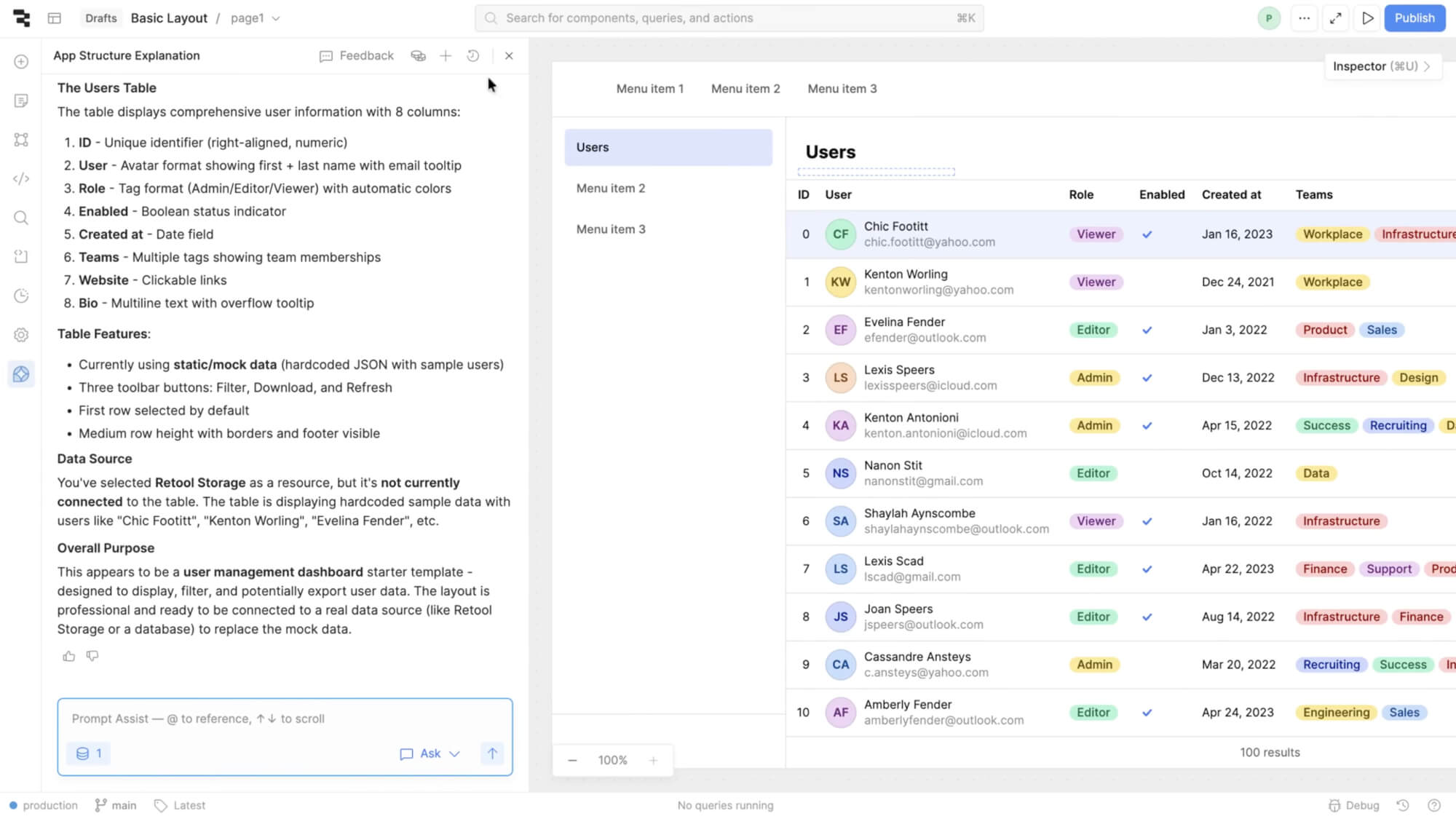
Rather than relying on intuition or roadmap planning sessions, Retool's team built a data-driven workflow where production logs directly inform their prioritization decisions. Using Loop, Braintrust's AI assistant, they query production data semantically to surface insights in seconds, turning observability into actionable roadmap decisions.
From vibes to data
Before implementing a structured evaluation system, Retool's approach to quality assurance was hands-on and collaborative. This worked well for the early stages of development. The team would gather for dog-fooding sessions, manually test prompts, collect failure modes into tickets, and tackle issues throughout the week. This approach gave them invaluable qualitative insights and helped them deeply understand customer needs.
But as Assist scaled, the system's complexity outpaced what manual review could handle. Retool's architecture had grown to multiple agents communicating across tasks, with traces reaching hundreds of megabytes across five layers of depth.
As we built more complexity into our system, our traces have just exploded with the amount of stuff that's in them. Even previously, while we may have been able to look at them manually and have a really easy sense by hand, I think they're at the point now that at our scale we just cannot do that anymore.
The team needed a way to quantify improvements, gain visibility into which features resonated most with customers, and systematically prioritize their growing roadmap, all while serving exponentially more customers.
Production logs as a product roadmap
Retool's current approach treats production data as the primary input for roadmap decisions.

1. Classify user intent with a front-of-house agent
Every query to Assist first passes through a classifier agent that categorizes what people are trying to do. The classifier outputs categories like:
adding-pages: Adding new pages to multi-page appsapp-readme: Generating or updating app documentationworkflows: Building automation workflowsperformance-queries: Optimizing app speedrenaming-pages: Page management tasksplugin-scope: Working with third-party integrations
By analyzing the distribution of categories in production traffic, the team gains immediate visibility into what people actually want Assist to do, not what they assumed people would want.
2. Query production logs with BTQL
The team built custom dashboards using BTQL (Braintrust Query Language) to surface actionable insights from production data. One critical metric they track is "blast radius" (error rate multiplied by usage volume), which helps the team prioritize fixes based on actual impact rather than just error frequency. A tool with a 50% error rate but only 10 calls per week gets lower priority than one with a 10% error rate and 10,000 calls.

3. Monitor critical issues through dashboards
Retool's on-call rotation centers around internal dashboards that aggregate production metrics. The team tracks:
- Week-over-week trends in tool call success rates
- Context window overflow incidents
- Model-level errors (API failures, rate limits, quota issues)
- Performance metrics (latency, token usage)
When the dashboards surfaced that context window overflow was affecting a significant number of requests, the team used Loop to analyze the severity and patterns. Loop's analysis confirmed context window overflow was the top-level issue, helping them quickly differentiate it from lower-priority problems like model provider rate limits. "This allowed us to shuffle some priorities, go and address that specific pointed problem, take that on as a project, and monitor its success afterwards," explains Allen.
And because Retool's customers span the globe, the dashboards regularly surface the unexpected. While investigating one trace, the team discovered it was entirely in Mandarin, a reminder that quality needs to hold across languages and cultures, and that manual review alone would never catch everything at this scale.
4. From symptoms to root causes with Loop
Loop helps the team go beyond surface-level error categorization to understand the reasons behind failures.
When issues surface, they typically arrive through a feedback Slack channel, each accompanied by a Braintrust trace. The team starts by examining the trace and asking Loop questions about it to understand failure modes. But the real value is in how Loop connects individual incidents to systemic patterns.
In one recent example, customers reported that the agent claimed to have completed a task when it actually hadn't. The symptom, inaccurate success reporting, could have been addressed with a narrow fix. But the team used Loop to identify common patterns associated with the underlying agent, and the root cause turned out to be something different entirely. The agent was missing tool definitions needed to accomplish certain tasks. Without the right tools available, it would attempt an action, realize it lacked access, and then inaccurately report success.
Without using Loop, we wouldn't have been able to get to that insight super quickly and ultimately resolve it within a matter of hours.
This distinction between symptoms and root causes is central to how Retool uses Braintrust. Symptoms vary widely and can be addressed with one-off fixes. Loop helps the team identify the collection of root causes behind a symptom, leading to more comprehensive and repeatable solutions.
The team also relies on Loop for day-to-day log analysis, finding common error patterns every week, writing BTQL queries, and answering questions about production behavior.
Loop was our way of getting data or synthesizing log data more efficiently at an aggregate level. We use it to find common error patterns every single week.

Results: Data-driven roadmap decisions
This observability-first approach has not just changed how Retool debugs, but what they choose to build next.
When Retool launched Assist, the team hypothesized that most customers wanted zero-to-one app generation. But the data told a different story. Many people were actually trying to edit existing applications, and the scope of editing tasks was surprisingly varied. This reframed the entire roadmap.
We did a bunch of analysis using Loop to categorize the different types of edits that customers wanted to make. That helped us reprioritize.
The classifier also revealed that adding pages to multi-page apps was the most frequently requested capability Assist couldn't handle, so the team made it a top priority. They created focused datasets from real production queries, built specialized scorers to validate quality, and shipped the updates with confidence. A similar analysis surfaced that app README functionality ranked third in requests, and since the team had already built README generation as a standalone feature, they integrated it into Assist within days.
This was such a low-lift way to knock out our third most requested thing that we couldn't do.
Through iterative evaluation using Braintrust datasets and scoring functions, the team also drove the front-of-house classifier from 72% to 95% accuracy by analyzing misclassified queries in production logs, creating targeted test datasets, and running evals on every change. They now maintain both general scorers like tool_call_success and capability-specific ones like is_app_scope_correct, giving them a detailed quality map across the entire system.
Key takeaways
- Move from symptoms to root causes. Individual bug reports reveal symptoms. Systematic analysis of traces reveals the root causes that address entire families of issues.
- Let observability data drive product decisions. Classification of what people are trying to accomplish provides strong signal for prioritization, sometimes overturning initial hypotheses.
- Manual QA does not scale for AI. As traces grow to hundreds of megabytes with hundreds of tool calls, systematic tooling becomes essential for understanding system behavior.
- Use observability at both macro and micro levels. Broad trends inform the roadmap, while week-over-week trace analysis catches specific edge cases and failure modes.
- Build investigation workflows. Attaching traces to feedback channels creates a direct path from a reported issue to a deep understanding of what went wrong.
At our scale, everything would break if we just tried to do this manually without something like Braintrust. Braintrust has been the lifeblood of our ability to execute against our roadmap, both near term and long term.
Thank you to Allen Kleiner for sharing Retool's story.
Turn production data into better AI
Want to build a data-driven workflow for your AI features? Learn how Braintrust's observability and evaluation tools can help.
Read more customer stories
“Eval-driven development is the new test-driven development. Any projects that we take up, the first step is identifying the eval set.”
“With Braintrust, our science fiction writer can sit down, see something he doesn't like, test against it very quickly, and deploy his change to production. That's pretty remarkable.”
“What we're often missing is, what was the model thinking? That's where Braintrust comes in.”